
MARS Join waitlist

Self-hosted developer tools

Your hardware.
Your dev stack.

Run CI, test across platforms, and review code with AI. Use the Mac on your desk or a fleet of workers in your company’s server racks.

Free plan · 1 worker · Up to 5 parallel jobs

MARS on your hardware A cat works at its laptop above a Mac, a Windows PC and a Linux server. Select one of the three floating feature cards to see it up close. CI workflow The test, build and package jobs passed. Deployment is running. CI Passing testbuildpackage 32s1m 14s28s deploy Running… Dev Sandbox An AI agent runs tests in an isolated workspace with 18 minutes left. Dev Sandbox 18m left agent run … workspace ready AI agent running tests in progress… AI Review of pull request 184 A review detects a possible out-of-bounds access and suggests returning early when the list is empty. AI Review PR #184 128129130 if (items.length >= 0) { return items[0] } Possible out-of-bounds access. Return early when the list is empty.

One command to connect
No Kubernetes or Proxmox
macOS, Windows & Linux
01 / Get more from each machine

Every job.
Its own slice.

Run multiple jobs on one machine.
Each gets the CPU and memory it needs.

16 vCPU32 GiB

Example allocation. 2 vCPU and 4 GiB are reserved for the host.

One machine divided into three job allocations and a host reserveA 16 vCPU, 32 GiB machine opens into a stack. Build receives 8 vCPU and 16 GiB. Test receives 4 vCPU and 8 GiB. Deploy receives 2 vCPU and 4 GiB. The host keeps 2 vCPU and 4 GiB. This is an illustrative allocation, not a live deployment.HOSTHOST OVERHEADHost reserve2 vCPU / 4 GiBDEPLOYJOB 03Deploy storefront2 vCPU / 4 GiBTESTJOB 02Test payments API4 vCPU / 8 GiBMARSWORKERBUILDJOB 01Build storefront8 vCPU / 16 GiB
Illustrative allocation · Resources reserved for the host

Job metrics & provisioning

More jobs at once.
Same hardware.

Use each job’s run history to size its next CPU and memory request. Existing jobs keep their allocation until they finish.

Example worker32 vCPU / 64 GiB RAM512 GiB disk · 16 GiB per job
PER-JOB HISTORY

Build storefront

northstar/storefrontILLUSTRATIVE DATA
Measured peakNew-job requestExcess reservedKept headroom
Every job placed adds one CPU point and one memory pointIllustrative CPU and memory history for Build storefront. Each job placement adds a point to both charts. At 4.8 seconds, the request for new jobs falls from 4 vCPU and 8 GiB to 2 vCPU and 4 GiB.CPUvCPUWaiting for completions…420Request for newly admitted jobs before the changeRequest for newly admitted jobs after the change#485 · northstar/storefront · Build storefront · 1.32 vCPU peak · 4 vCPU request · placed at 0.10s#486 · northstar/storefront · Build storefront · 1.39 vCPU peak · 4 vCPU request · placed at 0.74s#487 · northstar/storefront · Build storefront · 1.23 vCPU peak · 4 vCPU request · placed at 1.38s#488 · northstar/storefront · Build storefront · 1.30 vCPU peak · 4 vCPU request · placed at 2.02s#489 · northstar/storefront · Build storefront · 1.37 vCPU peak · 4 vCPU request · placed at 2.66s#490 · northstar/storefront · Build storefront · 1.21 vCPU peak · 4 vCPU request · placed at 3.30s#491 · northstar/storefront · Build storefront · 1.28 vCPU peak · 4 vCPU request · placed at 3.94s#492 · northstar/storefront · Build storefront · 1.35 vCPU peak · 4 vCPU request · placed at 4.58s#493 · northstar/storefront · Build storefront · 1.19 vCPU peak · 2 vCPU request · placed at 4.85s#494 · northstar/storefront · Build storefront · 1.26 vCPU peak · 2 vCPU request · placed at 5.27s#495 · northstar/storefront · Build storefront · 1.33 vCPU peak · 2 vCPU request · placed at 5.69s#496 · northstar/storefront · Build storefront · 1.40 vCPU peak · 2 vCPU request · placed at 6.11s#497 · northstar/storefront · Build storefront · 1.24 vCPU peak · 2 vCPU request · placed at 6.53s#498 · northstar/storefront · Build storefront · 1.31 vCPU peak · 2 vCPU request · placed at 6.95s#499 · northstar/storefront · Build storefront · 1.38 vCPU peak · 2 vCPU request · placed at 7.37s#500 · northstar/storefront · Build storefront · 1.22 vCPU peak · 2 vCPU request · placed at 7.79s#501 · northstar/storefront · Build storefront · 1.29 vCPU peak · 2 vCPU request · placed at 8.21s#502 · northstar/storefront · Build storefront · 1.36 vCPU peak · 2 vCPU request · placed at 8.63s#503 · northstar/storefront · Build storefront · 1.20 vCPU peak · 2 vCPU request · placed at 9.05s#504 · northstar/storefront · Build storefront · 1.27 vCPU peak · 2 vCPU request · placed at 9.47s#505 · northstar/storefront · Build storefront · 1.34 vCPU peak · 2 vCPU request · placed at 9.89s#506 · northstar/storefront · Build storefront · 1.18 vCPU peak · 2 vCPU request · placed at 10.31s#507 · northstar/storefront · Build storefront · 1.25 vCPU peak · 2 vCPU request · placed at 10.73s#508 · northstar/storefront · Build storefront · 1.32 vCPU peak · 2 vCPU request · placed at 11.15s2 vCPUMEMORYGiBWaiting for completions…840Request for newly admitted jobs before the changeRequest for newly admitted jobs after the change#485 · northstar/storefront · Build storefront · 2.33 GiB peak · 4 vCPU request · placed at 0.10s#486 · northstar/storefront · Build storefront · 2.44 GiB peak · 4 vCPU request · placed at 0.74s#487 · northstar/storefront · Build storefront · 2.55 GiB peak · 4 vCPU request · placed at 1.38s#488 · northstar/storefront · Build storefront · 2.35 GiB peak · 4 vCPU request · placed at 2.02s#489 · northstar/storefront · Build storefront · 2.46 GiB peak · 4 vCPU request · placed at 2.66s#490 · northstar/storefront · Build storefront · 2.57 GiB peak · 4 vCPU request · placed at 3.30s#491 · northstar/storefront · Build storefront · 2.37 GiB peak · 4 vCPU request · placed at 3.94s#492 · northstar/storefront · Build storefront · 2.48 GiB peak · 4 vCPU request · placed at 4.58s#493 · northstar/storefront · Build storefront · 2.59 GiB peak · 2 vCPU request · placed at 4.85s#494 · northstar/storefront · Build storefront · 2.39 GiB peak · 2 vCPU request · placed at 5.27s#495 · northstar/storefront · Build storefront · 2.50 GiB peak · 2 vCPU request · placed at 5.69s#496 · northstar/storefront · Build storefront · 2.30 GiB peak · 2 vCPU request · placed at 6.11s#497 · northstar/storefront · Build storefront · 2.41 GiB peak · 2 vCPU request · placed at 6.53s#498 · northstar/storefront · Build storefront · 2.52 GiB peak · 2 vCPU request · placed at 6.95s#499 · northstar/storefront · Build storefront · 2.32 GiB peak · 2 vCPU request · placed at 7.37s#500 · northstar/storefront · Build storefront · 2.43 GiB peak · 2 vCPU request · placed at 7.79s#501 · northstar/storefront · Build storefront · 2.54 GiB peak · 2 vCPU request · placed at 8.21s#502 · northstar/storefront · Build storefront · 2.34 GiB peak · 2 vCPU request · placed at 8.63s#503 · northstar/storefront · Build storefront · 2.45 GiB peak · 2 vCPU request · placed at 9.05s#504 · northstar/storefront · Build storefront · 2.56 GiB peak · 2 vCPU request · placed at 9.47s#505 · northstar/storefront · Build storefront · 2.36 GiB peak · 2 vCPU request · placed at 9.89s#506 · northstar/storefront · Build storefront · 2.47 GiB peak · 2 vCPU request · placed at 10.31s#507 · northstar/storefront · Build storefront · 2.58 GiB peak · 2 vCPU request · placed at 10.73s#508 · northstar/storefront · Build storefront · 2.38 GiB peak · 2 vCPU request · placed at 11.15s4 GiBREQUEST ↓4.8s0s11.2sELAPSED TIME →0 PLACED
7
jobs running1 completed
NEXT REQUEST / JOB4 vCPU8 GiB RAM · 16 GiB disk
Jobs complete and new runs take their place on one workerA 32 vCPU, 64 GiB worker with 512 GiB of disk. Numbered jobs arrive, fill their progress bars, show a blue check on completion and leave. Smaller requests allow up to 16 jobs to run in parallel.Build storefront · northstar/storefront · run #477 · 4 vCPU / 8 GiB · 16 GiB disk · peaks 1.22 vCPU / 2.38 GiB#477Build storefront · northstar/storefront · run #494 · queued#494Build storefront · northstar/storefront · run #478 · 4 vCPU / 8 GiB · 16 GiB disk · peaks 1.29 vCPU / 2.49 GiB#478Build storefront · northstar/storefront · run #496 · queued#496Build storefront · northstar/storefront · run #479 · 4 vCPU / 8 GiB · 16 GiB disk · peaks 1.36 vCPU / 2.60 GiB#479Build storefront · northstar/storefront · run #498 · queued#498Build storefront · northstar/storefront · run #480 · 4 vCPU / 8 GiB · 16 GiB disk · peaks 1.20 vCPU / 2.40 GiB#480Build storefront · northstar/storefront · run #500 · queued#500Build storefront · northstar/storefront · run #481 · 4 vCPU / 8 GiB · 16 GiB disk · peaks 1.27 vCPU / 2.51 GiB#481Build storefront · northstar/storefront · run #502 · queued#502Build storefront · northstar/storefront · run #482 · 4 vCPU / 8 GiB · 16 GiB disk · peaks 1.34 vCPU / 2.31 GiB#482Build storefront · northstar/storefront · run #504 · queued#504Build storefront · northstar/storefront · run #483 · 4 vCPU / 8 GiB · 16 GiB disk · peaks 1.18 vCPU / 2.42 GiB#483Build storefront · northstar/storefront · run #506 · queued#506Build storefront · northstar/storefront · run #484 · 4 vCPU / 8 GiB · 16 GiB disk · peaks 1.25 vCPU / 2.53 GiB#484Build storefront · northstar/storefront · run #508 · queued#5088 JOBS WAITING
Illustrative run data
Build storefront · northstar/storefront
RunTime (s)Peak vCPUPeak GiBRequest vCPURequest GiB
#4850.55001.232.4348
#4861.50751.302.5448
#4872.46501.372.3448
#4883.42251.212.4548
#4894.38001.282.5648
#4905.22001.352.3648
#4916.06001.192.4748
#4926.63001.262.5848
#4937.47001.332.3848
#4948.31001.402.4948
#4958.88001.242.6048
#4969.72001.312.4048
#49711.14001.382.5124

Worker runtimes

Sandboxes, containers and VMs.
Your platforms.

Choose a runtime for each worker. A platform team can pool Mac build machines, Windows PCs, and Linux rack servers, then route each job to the operating system and capacity it needs.

macOS

Apple Silicon · ARM64

Tart

Run a macOS VM from a prepared virtual-machine image.

Explore Tart

Kiri

Select Kiri when connecting a Mac to your worker pool.
Linux

Linux workers

Docker

Run isolated Linux containers with capacity shared across concurrent jobs.
Windows

Windows · x64

Docker + Hyper-V

Run Windows containers with Hyper-V isolation.

Hyper-V

Start a fresh Windows VM from a prepared checkpoint, without Docker.

Workflow routing

Route GitHub
Actions jobs.

Choose a platform or list alternatives in your workflow. Each label sets its own CPU and memory. MARS picks one matching option for the job.

GitHub Actions workflow
runs-on:
  - mars-ubuntu-24-2vcpu-2g
  - mars-windows-x64-2vcpu-2g

Either platform · 2 vCPU + 2 GiB RAM on the selected pool.

Each job runs once. Disk follows pool policy.

DEVELOPMENT SANDBOXES

One branch.Multiple platforms.

Open the same branch in isolated Windows, Linux, and macOS workspaces. Build and test it yourself, or give an AI agent control of a sandbox to run commands, edit code, and check the results.

Explore mobile testing

Hosted alternatives

  • E2B
  • Modal Sandboxes
  • Cloudflare Sandboxes
  • Vercel Sandbox
  • boat.dev
  • Maritime
  • Amazon ECSNitro Sandboxes
  • Daytona
MARS/agent workspaceYour hardware Illustrated run
Platform command: choose a moment in the agent’s development loop
01 Feature request

“Print the OS as windows, linux, or macos.”

02 First run

Two checks pass. The Mac prints darwin; the test expected macos.

03 Agent revision

Map darwin to macos. Keep the Windows and Linux output as it is.

04 Second run

The Mac now prints macos. The same checks still pass on Windows and Linux.

AI agentcli.py
1from platform import system
2name = system().lower()
3print(name)
1from platform import system
2name = system().lower()
3if name == "darwin":
4 name = "macos"
5print(name)
Draft 01 · Implementing the commandRun 01 · macOS assertion failedRevision 02 · 2 lines addedRevision 02 · Verified on all three

Windows

PS> py cli.py
Ready to run
windows ✓ Passed
windows ✓ Passed

Linux

$ python3 cli.py
Ready to run
linux ✓ Passed
linux ✓ Passed

macOS

% python3 cli.py
Ready to run
darwin × Failed · expected macos
macos ✓ Passed

One implementation · 3 sandboxesRun 01 · 2 passed, 1 failedmacOS failure returned to the agentRun 02 · 3 passed, 0 failed

Each runtime needs a compatible host. macOS sandboxes run on a Mac.

Mobile testing

Your own device lab.

Build your Expo app locally with Expo CLI. With compatible workers, your team can test its Android and iOS builds on virtual devices it hosts. This gives you a self-hosted alternative to EAS Build, Expo Simulators, and other cloud device labs.

Android
Android SDK and a host with emulator acceleration
iOS
A Mac with Xcode and an iOS Simulator runtime

AI REVIEW

Your AI.
On your terms.

Give your pull requests a second pair of eyes. Your model can scan the codebase, diagnose CI failures, open an issue or propose a fix in a pull request.

OpenRouter

LM Studio
Ollama
Strata
And more
  • CodeRabbit
  • GitHub Copilot
  • Cursor
  • Claude Code
MARS AI reviewing your code The MARS robot studies the code with a steady gaze through a floating magnifying glass. Its antenna rises through a metal socket on a solid cobalt detective cap.
MARS AI On your worker
Pull request review
Example PR #142

Ignore duplicate worker completions

complete_run.sql+2−1
12 UPDATE runs
13 SET state = 'passed'
14−WHERE id = :run_id;
14+WHERE id = :run_id
15+ AND state = 'running';!
A late success can pass the wrong attempt.

Attempt 7 times out. Attempt 8 starts on the same run ID. If 7 reports success now, state = 'running' matches attempt 8 and marks it passed before its tests finish.

Suggested fix
Add to WHERE+ AND active_attempt_id = :attempt_id

Bind the attempt ID from the callback. If zero rows change, ignore that completion.

Example 1 / 3

Free plan

Start with one.
Grow to a fleet.

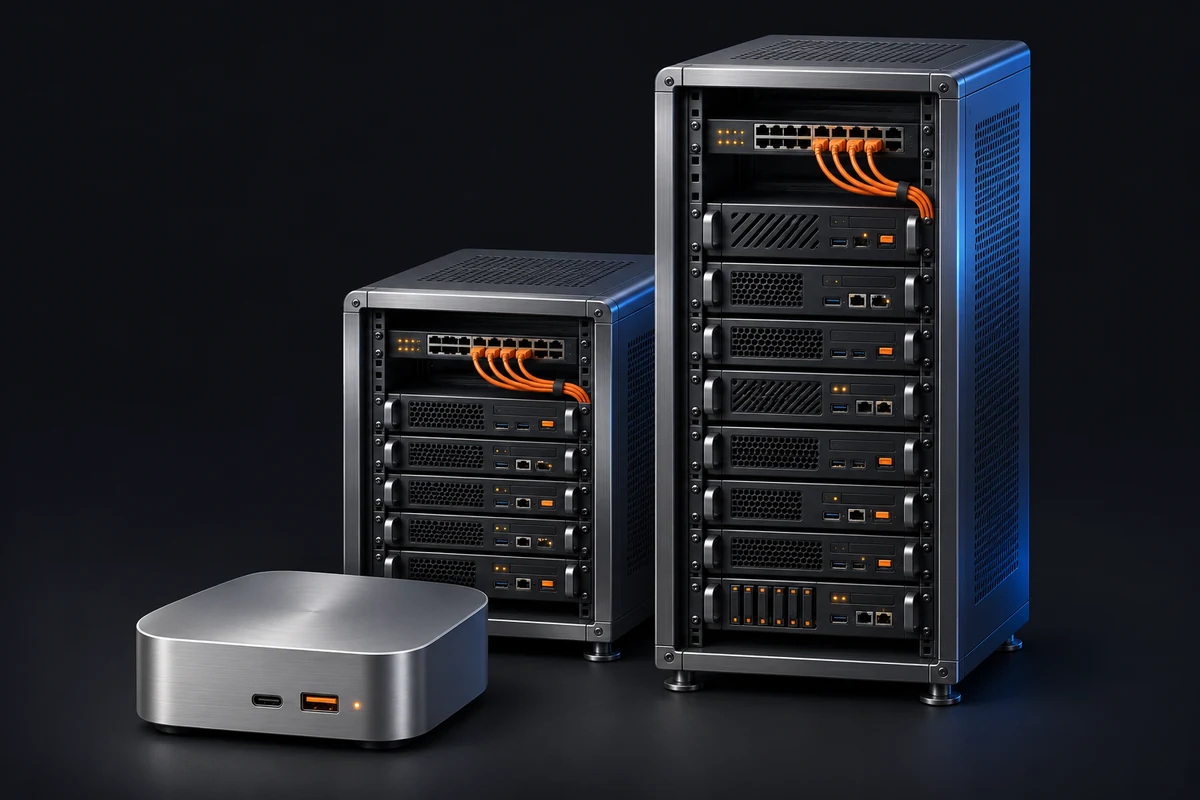
Connect one worker for $0 a month and run up to five jobs in parallel. Add capacity on a paid plan as your team grows.
A desktop worker beside two server racks with orange network cables and blue-lit enclosures.